 OfflineContent
Home / OC Delay / Enhanced Broadcasting vertical to TikTok
Twitch Enhanced Broadcasting vertical to TikTok and Shorts, with one encode
With Twitch Enhanced Broadcasting and Dual Format, OBS already encodes a vertical version of your stream for Twitch's mobile viewers. OBS only sends it to Twitch. Put a relay between OBS and Twitch and you can reuse it: Twitch gets every track, YouTube and Kick get the horizontal one, TikTok LIVE and YouTube Shorts get the vertical one. No second vertical encoder, no re-encode. We do it with OC Delay (free), and it also puts one stream delay on all of them. InstantClone is another free tool that does the same split.
What Enhanced Broadcasting sends
Enhanced Broadcasting makes OBS encode several qualities itself instead of Twitch doing it on its servers. Twitch picks the setup every time you go live, based on your GPU, your settings and your connection. It's also what powers Dual Format (a horizontal and a vertical stream at once, so phone viewers get a full-screen vertical view) and 2K. Dual Format is open to all streamers, 2K to Affiliates and Partners.
Source: Twitch Help, Enhanced Broadcasting with Multiple Encodes, checked 22 November 2026. Needs OBS 30.2 or newer.
All of that goes to Twitch as one connection with several video tracks. Other platforms want one video track and one audio track. So the usual way to also be live vertical on TikTok is a second vertical output in OBS with its own encoder: more GPU work for a picture you're already making.
Split it instead of encoding it twice
OC Delay sits between OBS and Twitch on your PC. It passes the whole Enhanced Broadcasting stream to Twitch as it is, so Twitch still gets its qualities and its vertical. For every other platform it takes one track out: the biggest horizontal one for YouTube and Kick, the biggest vertical one for TikTok and Shorts, plus one audio track. It picks them by shape every time you go live, because the order of the tracks can change. Nothing is encoded again, so the only cost is upload.
Twitch's lower qualities (720p, 480p and so on) only go to Twitch. The other platforms get the top quality.
Codecs: which platform takes what
You don't pick the codecs with Enhanced Broadcasting, Twitch does. On most GPUs we checked, a 1080x1920 vertical canvas got HEVC, and so did a 1440p top horizontal track. Twitch can change its choices any time, so the dashboard shows the codec and size of every track it receives.
| Platform | Takes | What that means for the split |
|---|---|---|
| Twitch | The whole Enhanced Broadcasting stream | Nothing changes for Twitch |
| YouTube and Shorts | H.264, HEVC, AV1 | Both tracks work |
| TikTok LIVE | H.264, and HEVC in our live test | The HEVC vertical worked |
| Kick | H.264 only | Only works if Twitch gave that track H.264 |
The TikTok test: on 15 November 2026 we sent Twitch's HEVC 1080x1920 vertical track to TikTok LIVE through OC Delay, without converting it. It connected, held for a 2.5 minute gameplay run with no drops, and looked and sounded right. We haven't seen TikTok promise HEVC for LIVE, so treat it as "works today".
Kick: if your top horizontal track comes out as HEVC, Kick needs its own H.264 output in OBS (an extra output from a plugin like Aitum Multistream), pointed at OC Delay. OC Delay warns you on the Kick row when the codec won't fit.
If TikTok ever stops taking HEVC: in our tests Twitch gave a vertical canvas of exactly 720x1280 H.264 instead of HEVC. That works on every platform, at the cost of a softer 720p vertical.
Don't edit Enhanced Broadcasting's config to force a different codec. We tried: it passed Twitch's bandwidth test, then live Twitch closed the stream. Twitch checks a live stream against the setup it gave OBS.
Set it up
- Set up Dual Format in OBS first. Turn on Enhanced Broadcasting and add a vertical canvas (we use the Aitum Vertical plugin), and check on Twitch that phone viewers get the vertical view. Get this working straight to Twitch before you add anything in between.
- Start OC Delay and point OBS at it. In OBS, Settings, Stream: keep the Twitch service,
tick Use custom server and paste
rtmp://127.0.0.1/main. You stay logged in and Enhanced Broadcasting stays on. - Tell OC Delay what's coming. On the encoder that feeds Twitch, tick Twitch Enhanced Broadcasting and With a vertical canvas. The vertical now shows up as its own source.
- Add the platforms. Add destination TikTok and YouTube Shorts with the vertical as source, YouTube and Kick with the main picture. Each needs its own stream key (OBS only sends Twitch's). TikTok gives you a new server and key every live, so it starts by its button.
- Go live and check the codec line. Each source shows codec and size once OBS sends. If Kick says it can't take the codec, see above.
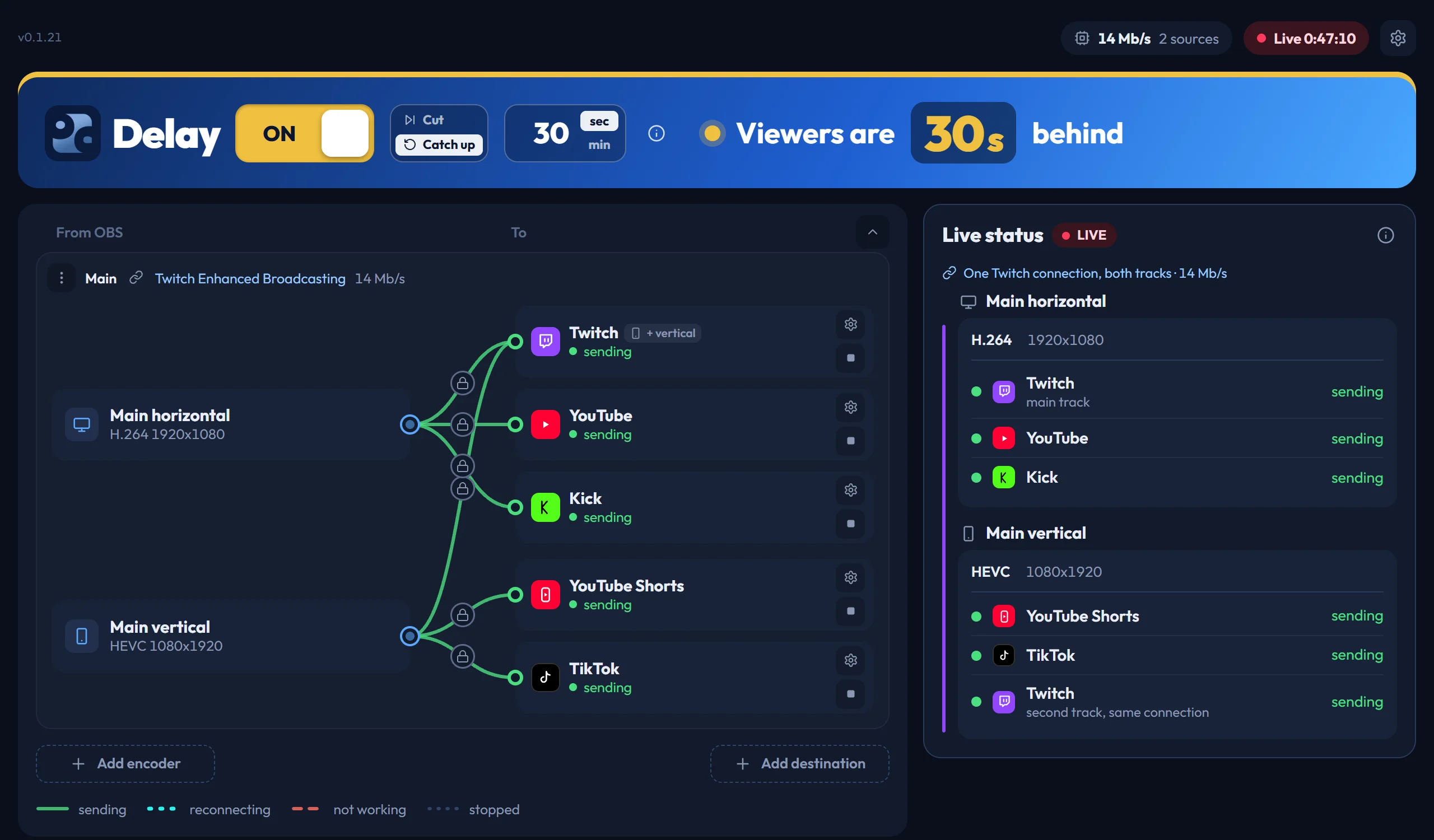
One delay, horizontal and vertical
The reason OC Delay exists is the stream delay: you turn it on and off while live, from 5 seconds to 10 minutes, and every track on every platform falls behind together, including Twitch's own vertical. Nobody can open TikTok to see where you are when Twitch is delayed. While it builds, viewers see a delay screen made for their format, vertical on TikTok and Shorts.
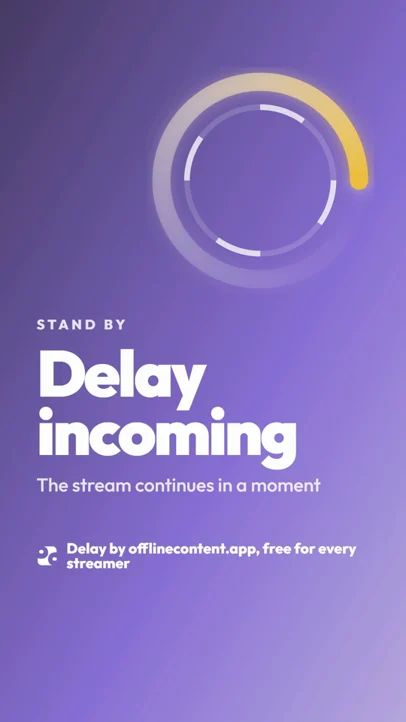
Keep Enhanced Broadcasting, add TikTok and Shorts.Free for Windows, no second encoder.
Get OC DelayOther tools that do this
InstantClone is a free, open-source tool (GPL-3.0) for Windows and Linux that does the same split: it takes Enhanced Broadcasting from OBS, sends the vertical canvas to TikTok, Shorts or Kick mobile and a single track to the other platforms, without re-encoding. It has a stream delay too. If you want open source or you're on Linux, look at it first. InstantClone on GitHub, checked 22 November 2026.
OC Delay is Windows and OBS only. What it adds is the delay screen, Cut or Catch up when the delay goes off, Start and Stop per platform while live, recording, a dock in OBS and Stream Deck buttons. Pick whichever fits your setup. For multistreaming without Enhanced Broadcasting, see how to multistream from OBS.
Is this allowed on Twitch?
Yes, simulcasting is allowed for everyone without an exclusivity deal, with three rules: Twitch viewers must get at least as good an experience as on the other platforms, you can't push Twitch viewers to watch you live elsewhere, and you can't show merged chat from other platforms on your Twitch stream. The split gives Twitch every quality and the others only the top one, so the quality rule works in Twitch's favour.
Sources: Twitch Terms of Service, section 11 Simulcasting (last modified 12 August 2026), and Simulcasting Guidelines FAQ, both checked 22 November 2026.
Questions
Does TikTok LIVE accept HEVC?
In our test, yes: Twitch's HEVC 1080x1920 vertical played on TikTok LIVE with no drops on 15 November 2026. TikTok doesn't promise it, so it could change.
Can I send Enhanced Broadcasting to YouTube?
Not from OBS alone. OBS sends Enhanced Broadcasting only to Twitch. A relay in between gives Twitch every track and sends single tracks to YouTube and the rest.
Does this cost GPU?
No more than Enhanced Broadcasting already does. The split copies tracks, it doesn't encode them. Each extra platform costs upload.
Will Twitch still show my vertical to phone viewers?
Yes. Twitch gets the same stream it would get from OBS directly, vertical included.
One encode, five platforms.
OC Delay is free and runs on your PC. Your stream and your keys stay there.