 OfflineContent
Home / OC Delay / InstantDelay alternative
A free InstantDelay alternative: OC Delay vs InstantDelay
InstantDelay and OC Delay do the same core job: they sit between OBS and the platforms on your own PC and let you turn a stream delay on and off while you're live, which OBS can't. InstantDelay costs EUR 5.99 a month (or 49.99 a year, 129 lifetime) after a 30-day trial, and works with more broadcasting apps than OBS. OC Delay is free, OBS only, and also handles Twitch Enhanced Broadcasting, sends Twitch's vertical to TikTok and Shorts, and records. We make OC Delay, so read this with that in mind. Every InstantDelay fact below is from their own site.
Quick verdict
Pick InstantDelay if you stream from Streamlabs, SE.Live or a Restream setup rather than plain OBS, you want a proper Stream Deck plugin, or you want a tool that's been out longer (it's on version 3).
Pick OC Delay if you stream from OBS on Windows and don't want to pay for a delay, you use Twitch Enhanced Broadcasting or Dual Format, you want the vertical on TikTok and Shorts without a second encoder, or you want viewers to see a delay screen while it builds.
OC Delay vs InstantDelay at a glance
| OC Delay | InstantDelay | |
|---|---|---|
| Price | Free, no paid version | EUR 5.99/month, 49.99/year or 129 lifetime |
| Trial | Not needed | 30 days, no credit card |
| Account or licence | None | Licence key, 1 per PC |
| System | Windows 10 and 11 | Windows x64 |
| Broadcasting apps | OBS | OBS, Streamlabs, Aitum, SE.Live, Restream workflows, custom RTMP |
| Runs where | Your PC, no re-encode | Your PC ("RTMP bridge"), no transcoding |
| Delay length | 5 seconds to 10 minutes | 0 to 600 (their spec table) |
| Change while live | Yes | Yes |
| While the delay builds | Viewers see a delay screen | You stay live while it buffers |
| Turning it off | Cut (straight to live) or Catch up (play the rest, then live) | Skip back to live, or set it to 0 |
| Multistream to | Twitch, YouTube, YouTube Shorts, Kick, TikTok LIVE, any RTMP | Twitch, YouTube, Kick, TikTok, Restream, custom |
| Twitch Enhanced Broadcasting | Yes, you keep the Twitch service in OBS | Not listed on their site |
| Twitch vertical to TikTok and Shorts | Yes, no second encoder | Not listed on their site |
| Record to file | MP4 or MKV, with or without the delay | Not listed on their site |
| OBS dock | Yes | Yes |
| Overlay in OBS | Yes, a delay badge | Yes, viewer status overlay |
| Stream Deck | Links for Stream Deck's Website action | Own Stream Deck plugin |
InstantDelay facts from instant-delay.com (home page, pricing and FAQ), its download page, Stream Deck page and about page, checked 22 November 2026. "Not listed" means we didn't find it on those pages, not that it can't do it. Check their site or ask them before you decide.
Price
This is the biggest difference. InstantDelay is a paid app with a 30-day free trial and no card needed for it. After that it's EUR 5.99 a month, EUR 49.99 a year, or EUR 129 once for a lifetime licence, and one licence covers one PC at a time. It's made by Lypning, a Valorant streamer.
OC Delay is free, and it stays free. It's made by OfflineContent, which turns Twitch streams into shorts. OC Delay is how we get in front of streamers, so it doesn't need to earn money on its own. There's no account, no licence key and no paid tier.
What viewers see
When you turn a delay on, the app has to hold your stream back until it has enough of it saved. InstantDelay's guide says you stay live while it builds, and the delay starts once it has enough. OC Delay shows viewers a delay screen during that time instead, so they know something is happening.
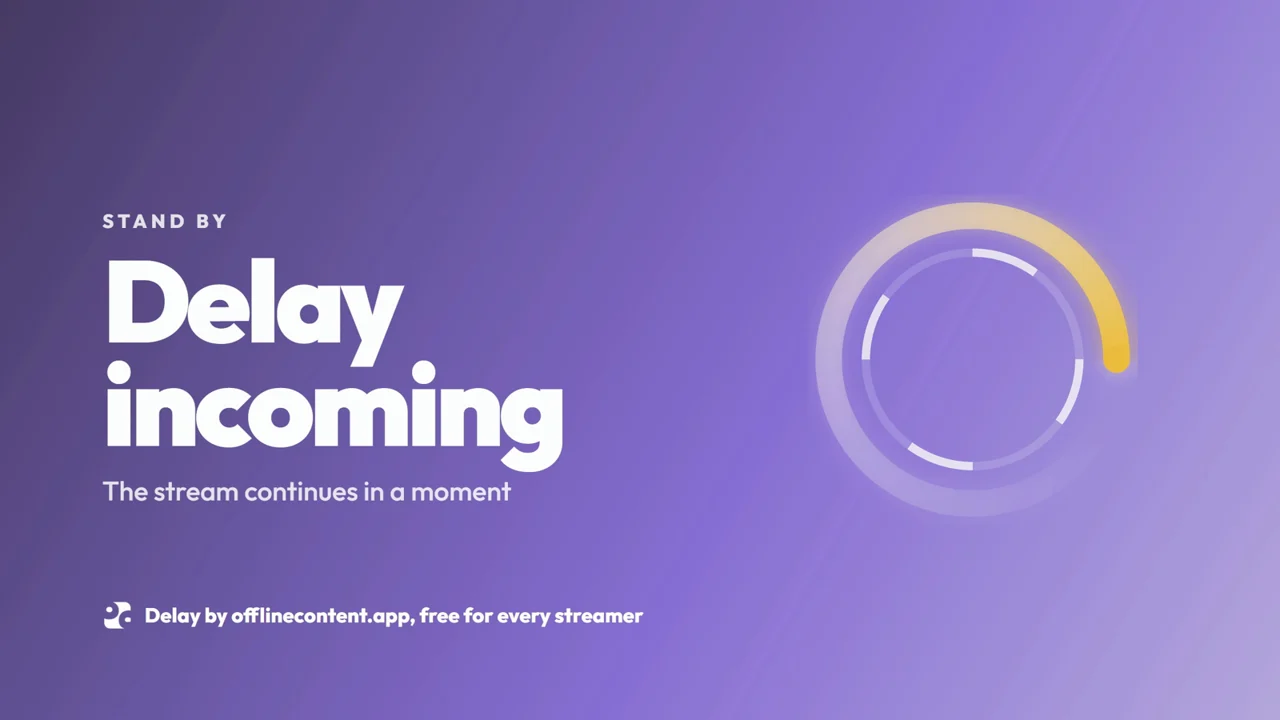
Turning it off, InstantDelay skips back to live, and its FAQ says players may sometimes show a short jump or buffer. OC Delay gives you the choice: Cut goes straight to live, Catch up lets viewers watch what they haven't seen yet and then joins live, so nothing gets skipped.

Multistreaming and Enhanced Broadcasting
Both send one delayed stream to several platforms, so a viewer can't open your Kick stream to see you live while Twitch is delayed.
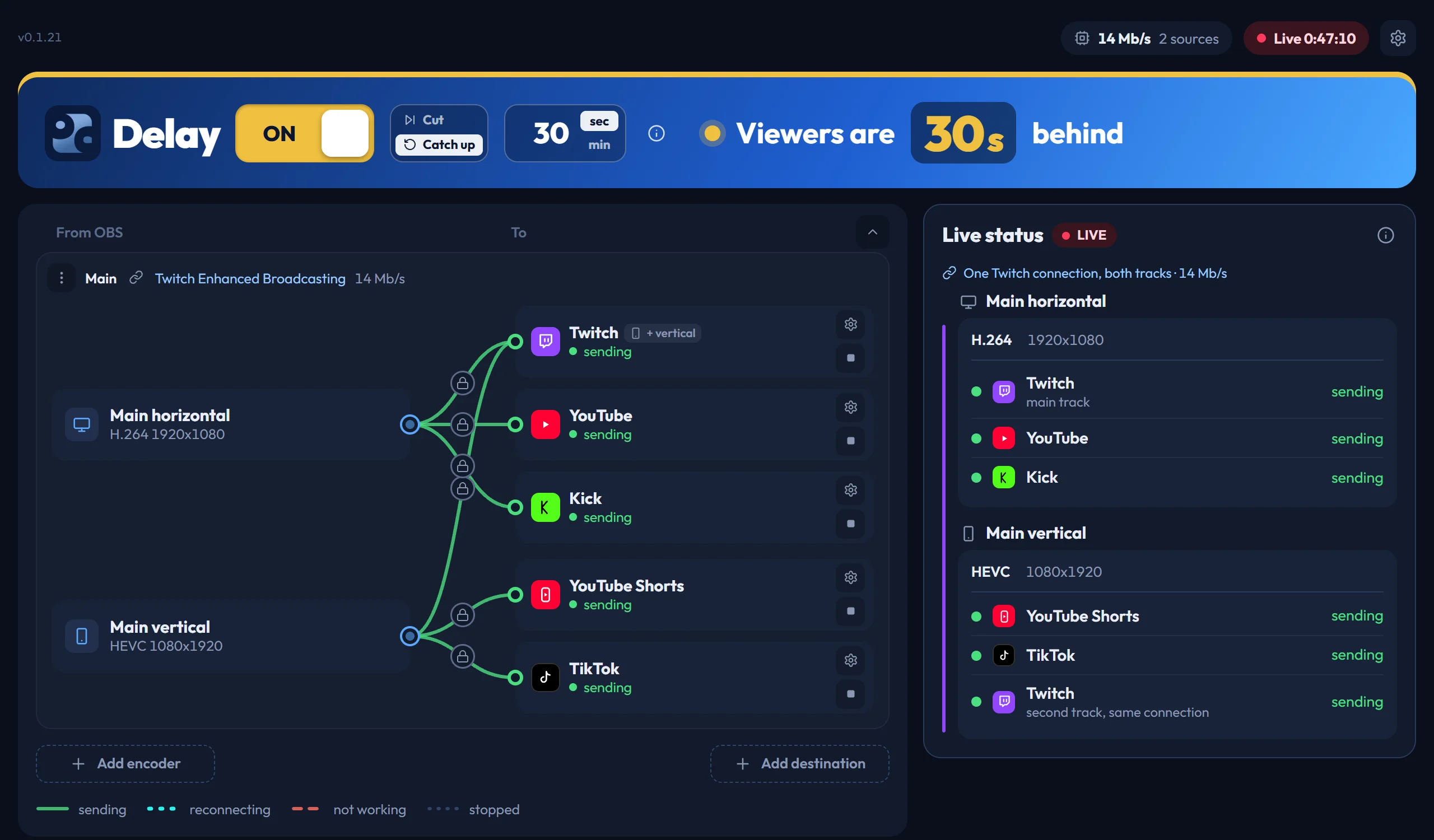
Where OC Delay goes further is Twitch Enhanced Broadcasting. InstantDelay's setup has you pick service Custom in OBS. OC Delay keeps the Twitch service and only ticks Use custom server, so you stay logged in and Enhanced Broadcasting keeps working: Twitch gets all its qualities and the vertical, and OC Delay takes the vertical out for TikTok LIVE and YouTube Shorts without a second encoder. How that works: Enhanced Broadcasting vertical to TikTok and Shorts. InstantDelay's site doesn't list Enhanced Broadcasting or vertical.
OC Delay also gives every platform its own Start and Stop while live, and can record the stream to MP4 or MKV. The recording isn't better than OBS's, it's just in the same dashboard. More in how to multistream from OBS.
Try the free one first.If it doesn't fit, InstantDelay's trial is still there.
Get OC DelayWhere InstantDelay is ahead
- More broadcasting apps. It lists Streamlabs, Aitum, SE.Live and Restream workflows next to OBS. OC Delay is OBS only.
- A real Stream Deck plugin. Theirs sets the delay, skips to live and toggles modes from buttons. OC Delay gives you links to paste into Stream Deck's Website action, which works but is more setup.
- Time on the market. InstantDelay is on version 3. OC Delay is new, version 0.1.21, tested on real streams but with fewer streamers behind it so far.
Other InstantDelay alternatives
- OBS's own delay (Settings, Advanced, Stream Delay) is free and built in, but you can only change it while you're offline.
- InstantClone is free and open source (GPL-3.0), runs on Windows and Linux, has a delay of up to an hour and also splits Enhanced Broadcasting's vertical for other platforms. InstantClone on GitHub, checked 22 November 2026.
Questions
Is there a free InstantDelay alternative?
Yes. OC Delay is free for Windows and OBS, with no account and no paid version. InstantClone is a free open-source option too.
How much does InstantDelay cost?
On 22 November 2026 their site listed EUR 5.99 a month, EUR 49.99 a year or EUR 129 lifetime, one licence per PC, after a 30-day free trial with no credit card.
Can I switch from InstantDelay to OC Delay?
Yes. Both work by changing the server in OBS, so you change it once more: on Twitch, back to the Twitch service with Use custom server and OC Delay's address. Your stream keys stay the same.
Does OC Delay send my stream or keys anywhere?
No. It runs on your PC and sends your stream straight to the platforms. Keys are saved encrypted on your PC. The only thing it fetches is a small daily update check, which you can turn off.
A stream delay you can flip live, for free.
OC Delay runs on your PC. Your stream and your keys stay there.